Do Metal Roofs Interfere With Cell or WiFi Signal?
It’s a common worry when you’re considering a new metal roof: will it turn your home into a signal black hole? Many homeowners fret about their cell phone bars dropping to zero or their Wi-Fi struggling to reach every corner of the house once that sleek, durable metal is installed overhead. This guide is here to shed light on how metal roofs interact with wireless signals, what you can realistically expect, and most importantly, how to ensure your connectivity stays strong.
The Science Behind Signal Interference and Metal Roofs
The concern about metal roofs and signal interference isn't just an old wives' tale; there's a real scientific basis to it. Understanding how wireless signals behave and why metal acts the way it does can demystify the issue.
How Wireless Signals Work
Think of your cell phone calls, text messages, or your home's Wi-Fi network as invisible waves traveling through the air. These are electromagnetic waves, similar to light, but at different frequencies. They move from a source, like a cell tower or your Wi-Fi router, to a receiver, such as your phone or laptop. These waves can pass through many materials, like drywall, wood, and even some glass, but their strength can diminish significantly when they encounter denser objects or materials that reflect them.
Different frequencies behave differently. The 2.4 GHz band, commonly used by older Wi-Fi routers and many smart home devices, tends to travel further and penetrate obstacles better than the 5 GHz band, which offers faster speeds but has a shorter range and is more easily blocked. Cell phone signals operate across various bands, and their ability to penetrate buildings depends heavily on the specific frequency used by your carrier and the distance to the nearest tower.
Metal as a Signal Blocker: The Faraday Cage Effect
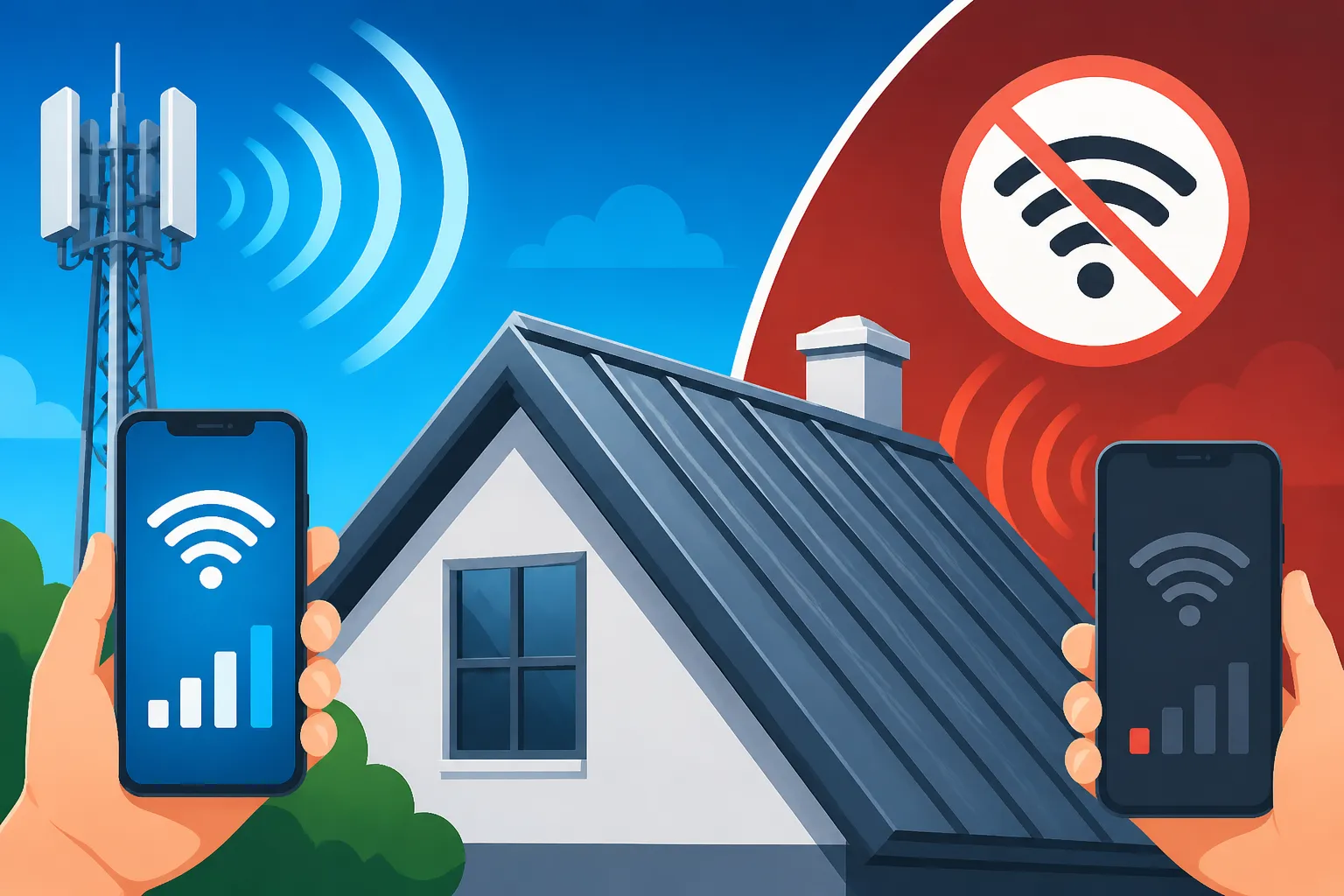
Here's where the metal roof comes into play. Metal is an electrical conductor, meaning it can reflect electromagnetic waves rather than letting them pass through. When you encase an area in a continuous metallic shield, you create what's known as a Faraday cage. A Faraday cage effectively blocks external static and non-static electric fields, including radio frequency signals, from reaching the inside.
While your metal roof isn't a perfectly sealed Faraday cage (it has gaps, windows, doors, and other building materials), it does create a significant barrier. Large, continuous sheets of metal, like those found in Standing Seam Metal Roof Cost installations or large corrugated panels, are particularly effective at reflecting and absorbing these signals. This means that a considerable portion of the cell phone or Wi-Fi signals trying to enter or leave your home from above will be bounced away or significantly weakened. This physical property of metal is the primary reason for signal degradation, leading to dropped calls, slow internet speeds, or dead zones inside your home.
Real-World Impact on Cell Phone and WiFi Signals
So, what does this scientific explanation mean for your daily life with a metal roof? It means that you might experience some level of interference, but the severity can vary greatly depending on several factors.
Cell Phone Reception
For cell phone reception, the impact of a metal roof is often noticeable, particularly in areas where the outdoor signal is already weak. If you live in a rural area with distant cell towers, that metal roof could push your already struggling signal over the edge. In urban areas, where cell towers are plentiful and signals are generally strong, you might only notice a slight dip in bars, perhaps from four to three, or occasional call quality issues.
However, it's not just the roof. Other elements of your home's construction also play a role. Think about modern, energy-efficient windows with metallic coatings or even the rebar within concrete walls – these can also contribute to signal attenuation. If your phone relies heavily on signals penetrating the roof, such as an attic bedroom or an upstairs office, you're more likely to experience a drop. The good news is that very few homes become complete cell signal blackouts, but a reduction in reliability and speed is a realistic expectation for some. You might find yourself stepping outside more often to make important calls, or relying on Wi-Fi calling.
WiFi Network Performance
When it comes to your home Wi-Fi, a metal roof's primary impact will be on the signal reaching outside your house, or how well internal signals propagate, especially vertically. If your router is on the first floor, a metal roof above you might not directly affect its signal strength to devices on the same floor. However, if you have a multi-story home, or you're trying to get Wi-Fi to a device in an upstairs room directly under the metal roof, you might notice weaker performance. The metal creates a "ceiling" that reflects and absorbs the signal, making it harder for the Wi-Fi waves to spread evenly throughout the upper levels of the house or to penetrate effectively from the outside.
This can be particularly frustrating for smart home devices, like security cameras or smart thermostats, that rely on a stable Wi-Fi connection and might be installed in attic spaces or near the roofline. The type of metal roofing material, whether it's Steel Roof Cost Per Square Foot or Aluminum Roof Cost Per Square Foot, doesn't typically change the fundamental physics of signal reflection, but the panel design and continuity could play a minor role. The overall structure of the roof and whether there are significant gaps or non-metal sections will also influence the extent of the interference.
Solutions and Strategies for Better Connectivity
If you're already experiencing signal issues or you're simply being proactive before installing a metal roof, don't despair! There are many effective ways to boost both your cell and Wi-Fi signals.
Enhancing Cell Phone Signal
For cell phone reception issues, the most robust solution is often a cell signal booster. These systems typically consist of three main components: an outdoor antenna, an amplifier, and an indoor antenna. The outdoor antenna is mounted on your roof or an exterior wall, ideally where it can get the strongest possible signal from nearby cell towers. It captures these weak signals, sends them to the amplifier inside your home, which then boosts them significantly. The amplified signal is then broadcast throughout your home via the indoor antenna.
These boosters work for all major carriers and devices, acting like a mini cell tower for your home. Companies like Wilson Amplifiers and SureCall offer various models suitable for different home sizes and signal needs. Before purchasing, it's a good idea to research models that support multiple frequency bands to ensure compatibility with your carrier's network. Alternatively, if your cell carrier supports it, enabling Wi-Fi Calling on your smartphone can be a game-changer. This feature allows your phone to make and receive calls and texts over your home Wi-Fi network instead of relying on the cellular network. It's a fantastic workaround when your Wi-Fi is strong, but your cellular signal is weak.
Boosting WiFi Throughout Your Home
Improving your home Wi-Fi signal often starts with optimizing your router's placement. The ideal spot is usually central, elevated, and away from obstructions. Avoid placing your router in a cabinet, behind a TV, or in a corner of your house, especially one under a metal roof. For larger homes or those with multiple floors, a mesh Wi-Fi system is often the most effective solution. Mesh systems use multiple Wi-Fi units placed strategically around your home to create a single, seamless network. Each unit communicates with the others, extending coverage and eliminating dead zones. This is far superior to traditional range extenders, which often create separate networks and can halve your bandwidth.
Consider options from popular brands like Eero, Google Nest Wi-Fi, or Netgear Orbi. If you're looking for professional advice on the best system for your unique home layout, especially after a Metal Roof Installation Process: Step by Step, platforms like Modernize can help connect you with local experts who can assess your specific needs and recommend tailored solutions. For tech-savvy homeowners, running Ethernet cables for a wired connection (known as Ethernet backhaul) to devices that require high bandwidth, like smart TVs or gaming consoles, can provide the most stable and fastest connection, completely bypassing any wireless interference. If you're planning for a new metal roof, you might even consider discussing conduit installation with your contractor to make future cabling easier, which ties into understanding Metal Roof Components & Accessories Explained.
Dispelling Common Myths and Misconceptions
There’s a lot of chatter out there about metal roofs and signals, and not all of it is accurate. Let’s clear up some common misunderstandings to give you a more realistic perspective.
Total Signal Blackout
One of the biggest fears is that a metal roof will completely block all cell and Wi-Fi signals, leaving your home in a digital dark age. This is almost never the case for residential homes. While metal roofs can attenuate signals, they rarely create a perfect Faraday cage effect that completely obliterates all wireless communication. Modern homes have many openings – windows, doors, vents, and even gaps around flashing – that allow some signal to penetrate. Plus, signals don't just come from directly above; they can reflect off nearby buildings and terrain, finding indirect paths into your home.
What you're more likely to experience is a reduction in signal strength, which can manifest as slower data speeds, buffering, or occasional dropped calls. It's more of a hinderance than a complete cessation of service. For example, your phone might show one or two bars instead of four, but it will still be able to connect and function, albeit with less reliability. If you're also concerned about other aspects of your metal roof, such as Metal Roof Underlayment and Ventilation Guide or how to prevent issues like How to Prevent Leaks on a Metal Roof, rest assured that the signal issue is typically manageable.
Only Metal Roofs Cause Problems
It's easy to point the finger solely at the metal roof when signal issues arise, but many other common building materials and environmental factors can also significantly impede wireless signals. Think about stucco walls reinforced with wire mesh, concrete foundations with rebar, or even certain types of insulation that have metallic or foil-backed layers, which can create their own mini-Faraday effects within wall cavities. Thick masonry, dense wood, and low-E window coatings can also be significant signal absorbers or reflectors.
Even the landscape around your home plays a role; hills, large trees, and neighboring buildings can all interfere with incoming cell signals. So, while a metal roof is a known factor, it's usually one piece of a larger puzzle of signal interference. If you've been living in a home with strong Wi-Fi and cell service and then switch to a metal roof, you might notice a difference. But if you're building a new home with a metal roof and other modern, energy-efficient materials, the cumulative effect of these barriers will be what truly dictates your connectivity experience. Understanding the holistic impact of building materials can even help you evaluate the Is a Metal Roof Worth It? ROI, Resale & Payback more thoroughly, considering connectivity as a minor variable.
Comparing Signal Boosting Solutions
To help you make an informed decision, here's a quick comparison of the common signal boosting solutions mentioned.
| Feature | Cell Signal Booster | Mesh Wi-Fi System | Wi-Fi Range Extender/Repeater |
|---|---|---|---|
| Primary Use | Improve cellular voice and data reception (3G/4G/5G) | Extend Wi-Fi coverage for seamless home network | Extend Wi-Fi coverage, often with performance caveats |
| Components | Outdoor antenna, amplifier, indoor antenna, cables | Multiple access points (nodes) | Single device plugs into an outlet |
| Signal Source | External cellular towers | Existing Wi-Fi router (and other mesh nodes) | Existing Wi-Fi router |
| Installation | Moderate (requires outdoor antenna placement) | Easy (plug-and-play, app-guided setup) | Easy (plug-and-play) |
| Cost | Moderate to High ($200 – $1,000+) | Moderate to High ($150 – $600+) | Low to Moderate ($30 – $150) |
| Performance | Significantly boosts cell signal; carrier agnostic | Creates seamless, strong Wi-Fi across large areas | Can reduce Wi-Fi speed and create separate networks |
| Best For | Homes with weak outdoor cell signal due to distance or building materials like a metal roof | Large homes, multi-story homes, eliminating Wi-Fi dead zones | Small areas with minor Wi-Fi dead spots, budget-conscious |
| Example Brands | Wilson Amplifiers, SureCall | Eero, Google Nest Wi-Fi, Netgear Orbi | TP-Link, Netgear, Linksys |
Remember, the best solution for you will depend on the specific problems you're experiencing. Sometimes a simple router repositioning or enabling Wi-Fi calling is enough. Other times, a more robust system is necessary. Consulting with a specialist, possibly through a service like Modernize, can help you accurately diagnose your signal issues and find the most cost-effective and efficient solution for your metal-roofed home.
Final Thoughts on Connectivity with a Metal Roof
Getting a metal roof is a significant investment in your home's longevity, durability, and often, its aesthetic appeal. While the concern about cell and Wi-Fi interference is valid, it shouldn't be a deal-breaker. The reality is that for most homeowners, the impact is manageable and far from a total communications blackout.
You're installing a roof that offers incredible benefits, from its exceptional lifespan and energy efficiency to its superior protection against extreme weather, factors that can also impact your Metal Roof Wind and Fire Ratings Explained. If you do experience signal degradation, proactive planning and the readily available solutions discussed above – from cell signal boosters to mesh Wi-Fi systems – mean that you don't have to choose between a fantastic roof and reliable connectivity. With a little strategic planning, you can absolutely enjoy the best of both worlds.
Disclaimer
This article is intended for informational purposes only and does not constitute professional advice. While we strive to provide accurate and up-to-date information, individual situations may vary. Always consult with a qualified roofing contractor, telecommunications specialist, or other relevant professionals before making any decisions related to your home or network.